
Everything your team needs to run WhatsApp properly

One shared inbox, approved-template campaigns, in-chat forms and an AI agent grounded in your own documents — on your own number, on the official WhatsApp Business Platform.

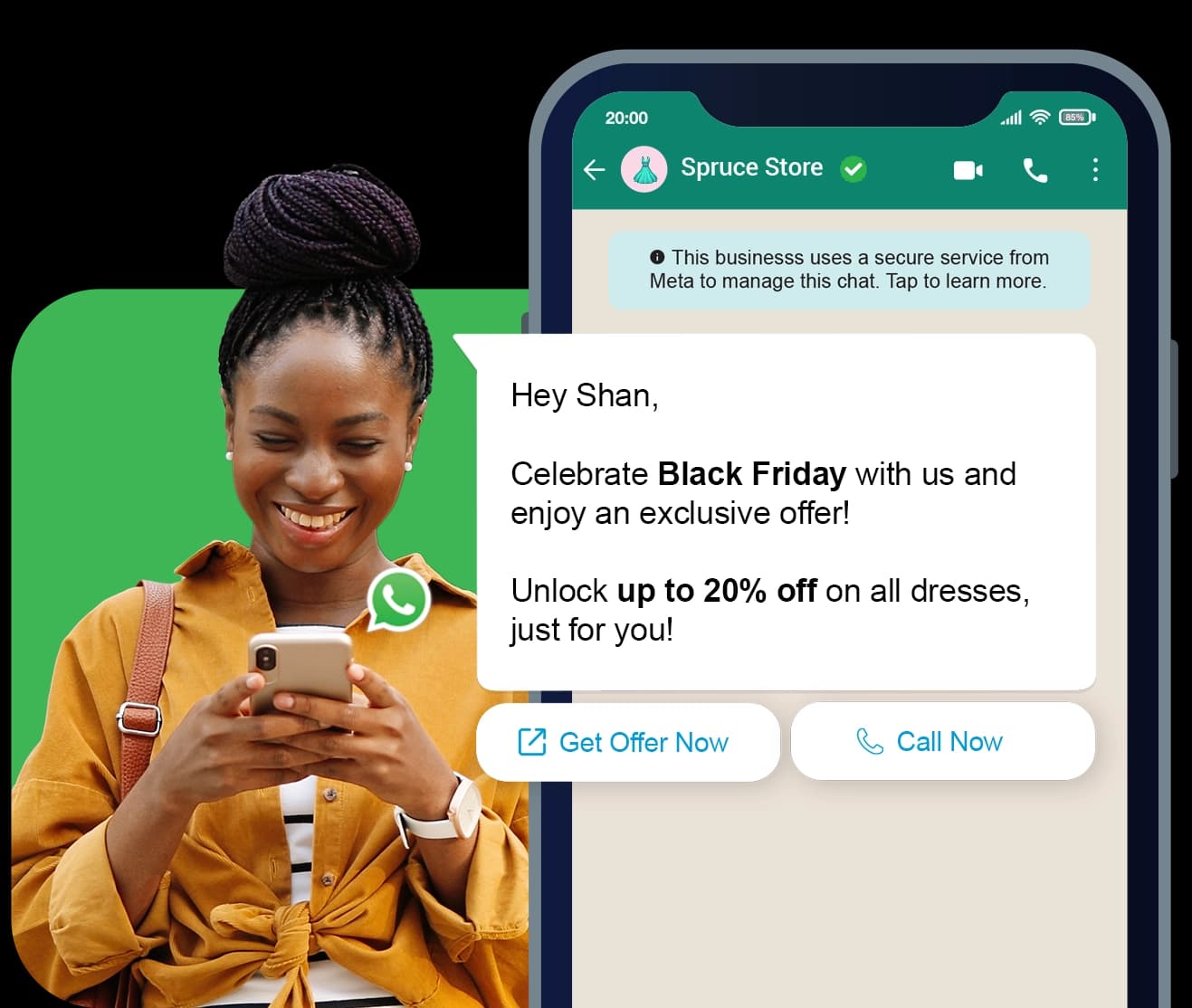
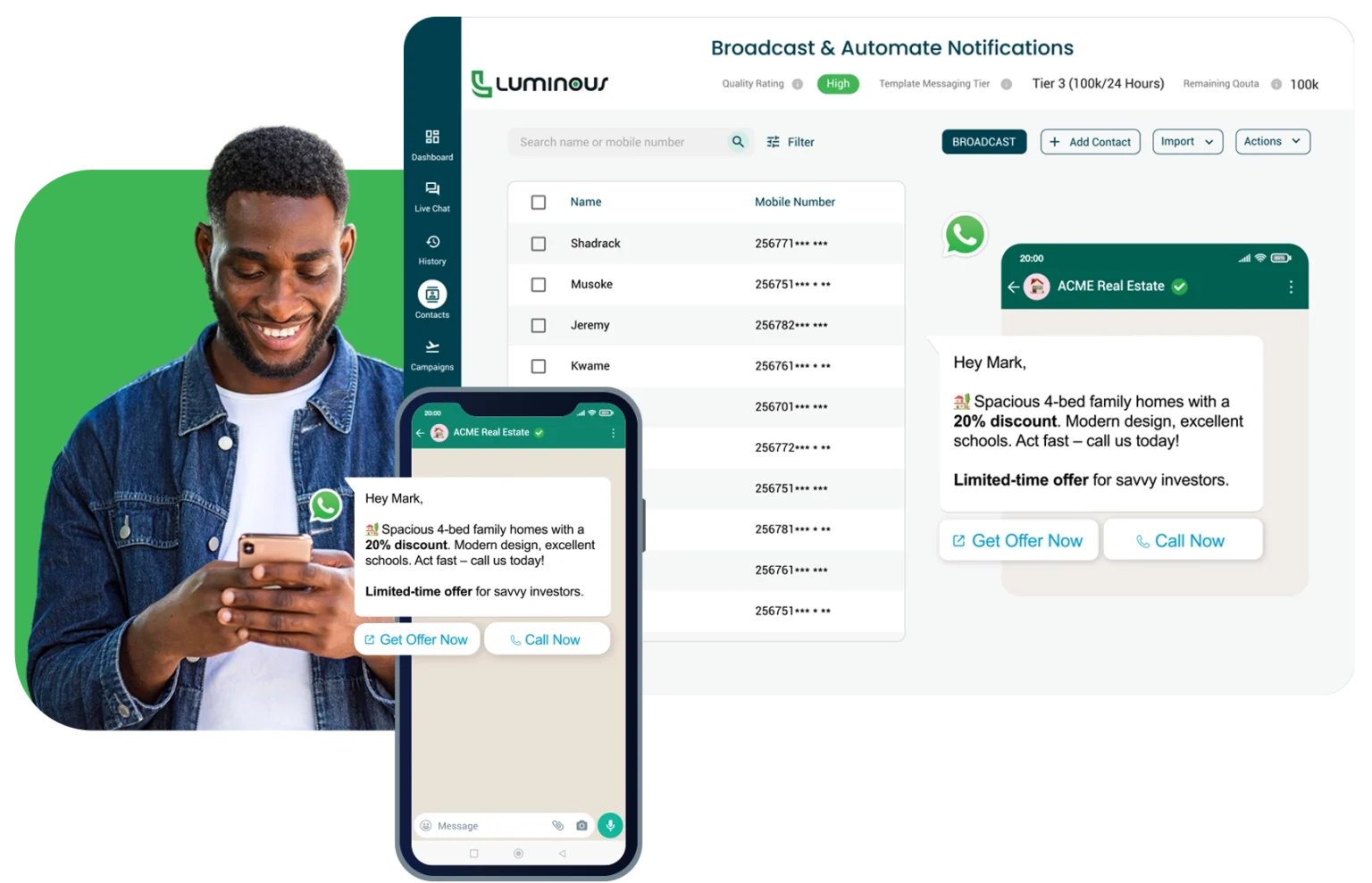
A broadcast campaign going out from Luminous CRM, shown on a phone

How each part works

Team Inbox

Your whole team on one number, without answering over each other

Every conversation has exactly one owner. Claim it, take it over or transfer it, and the timeline records who did what and when.

  • Open a chat to claim it, or just reply and it claims itself. A teammate's chat shows who is handling it, and replies are refused until you take over.
  • A composer with formatting, emoji, attachments up to 100 MB, approved templates, reply buttons and lists, canned replies and quoted replies.
  • The 24-hour window is tracked per conversation. The moment it closes the composer switches to templates only, and the server refuses free-form sends too.
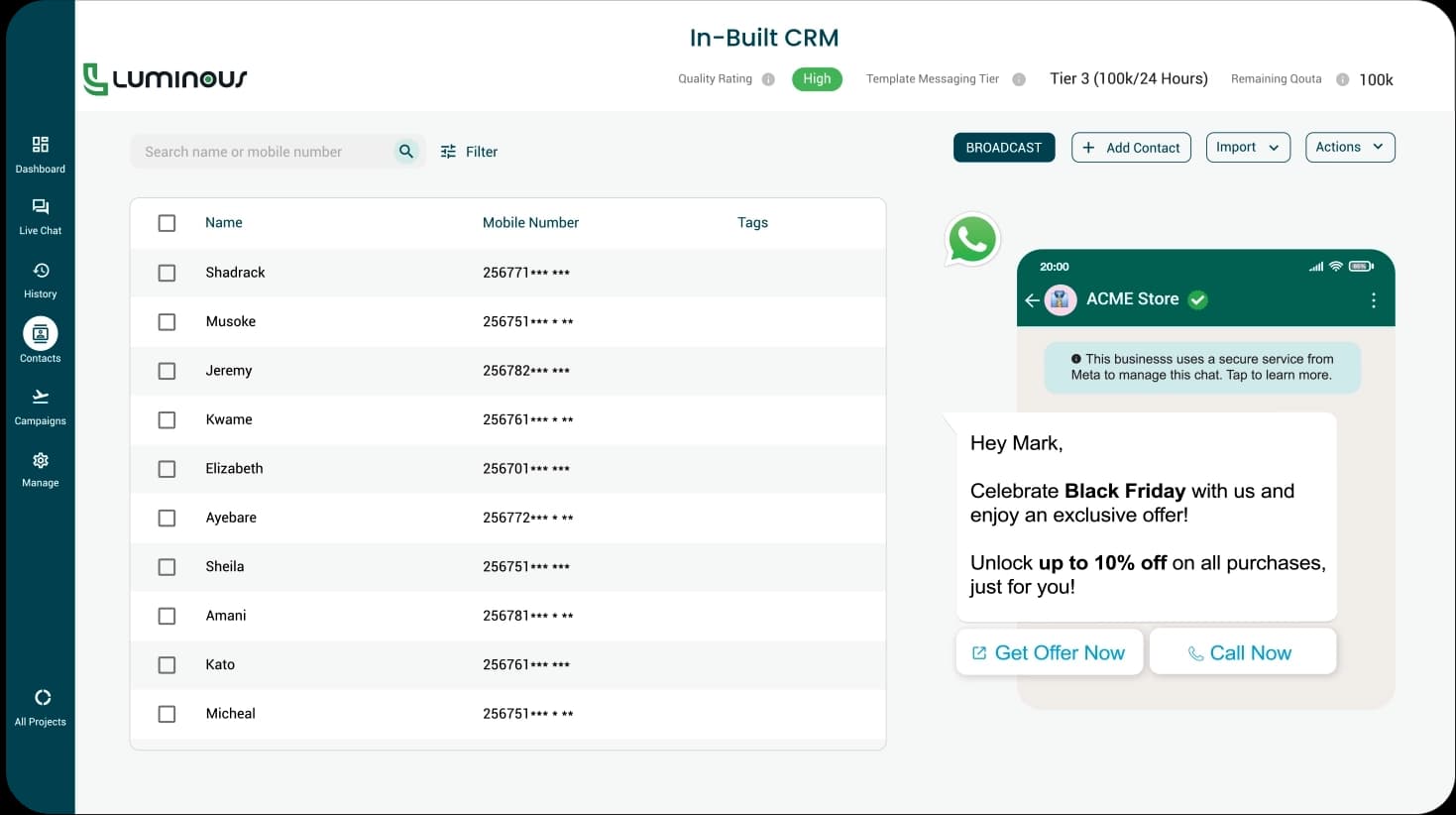
The client database table in Luminous CRM

AI Agent

An AI agent that only knows what you taught it

Upload your documents, question-and-answer pairs and web pages. The agent answers from that material alone and never invents a price, a name, a date or a promise.

  • A knowledge base of PDF, Word, text and Markdown files up to 10 MB each, plus Q&A pairs, the pages you want it to read, and your business details.
  • Pick a role and a tone of voice, set a reply length between 35 and 200 words, and give it business hours. You write the fallback, handover and closed messages yourself.
  • Roll it out to everyone or pilot it on an allowlist first. It can look up a customer's record, tag them, escalate to a person, or call Google Sheets, an MCP server or your own API.
The client database table in Luminous CRM

Templates

Build and submit Meta templates without leaving Luminous CRM

A builder with a live WhatsApp preview, one-click submission for review, and a library that stays in sync with WhatsApp Manager.

  • Utility, Marketing and Authentication categories across 72 languages, with a body up to 1,024 characters and numbered variables.
  • Headers as text, image, video or document, an optional footer, and up to 10 buttons including URL, phone, copy-code and one that opens a WhatsApp Form.
  • Submit for review and watch the verdict land live. Meta's reason for a rejection is translated into a plain-English fix.
The client database table in Luminous CRM

Broadcast Campaigns

Broadcast to your entire client database, then watch it land

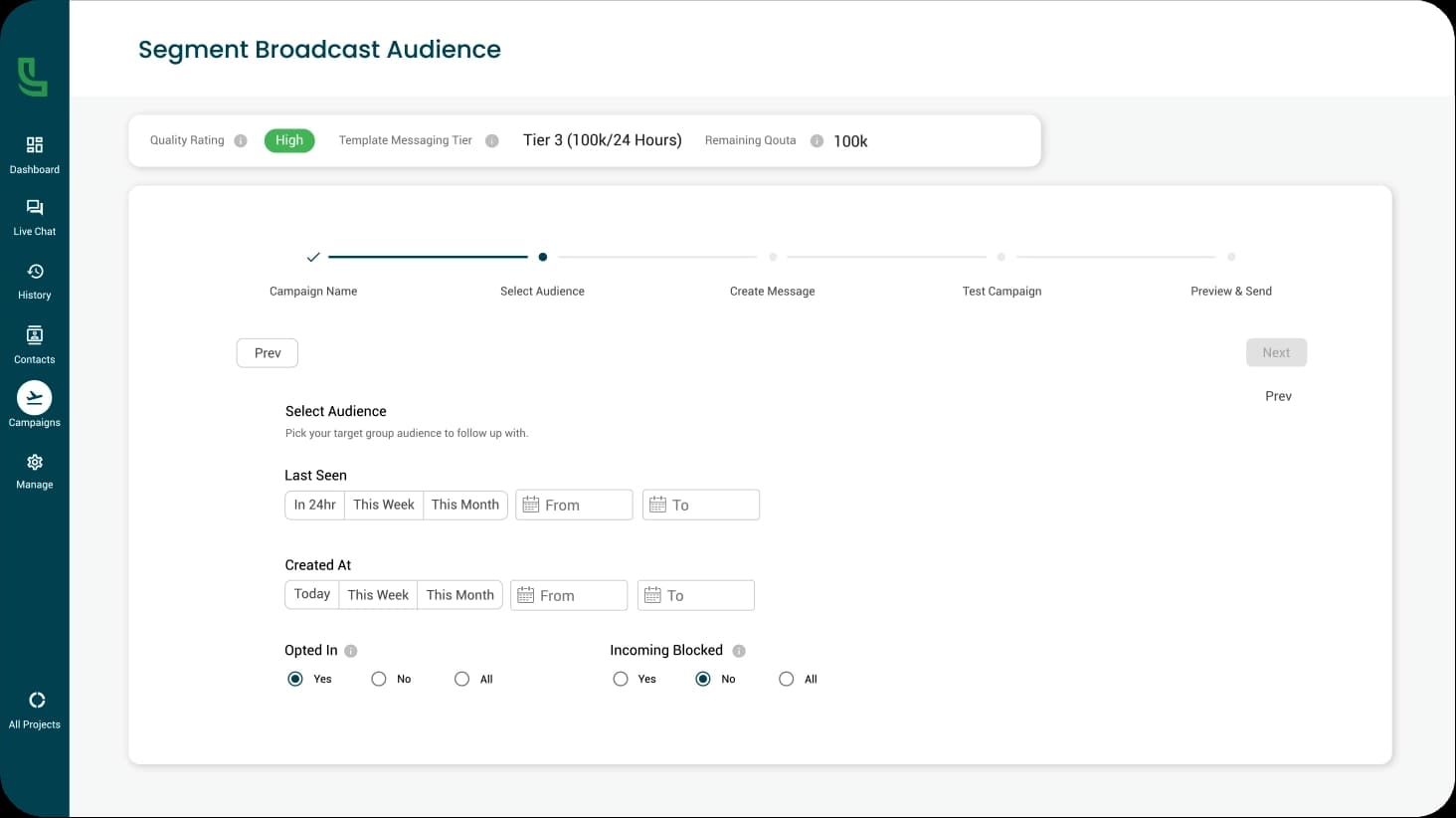
A five-step wizard — name, audience, message, a real test send, then send or schedule. Sending is paced to keep your number inside Meta's limits.

  • Filter your audience by tag with per-tag counts and a live audience size, then personalise every message from the contact record.
  • Send a real test to any number first. Schedule for a date, time and timezone, with up to three retry slots, and pause or cancel mid-send.
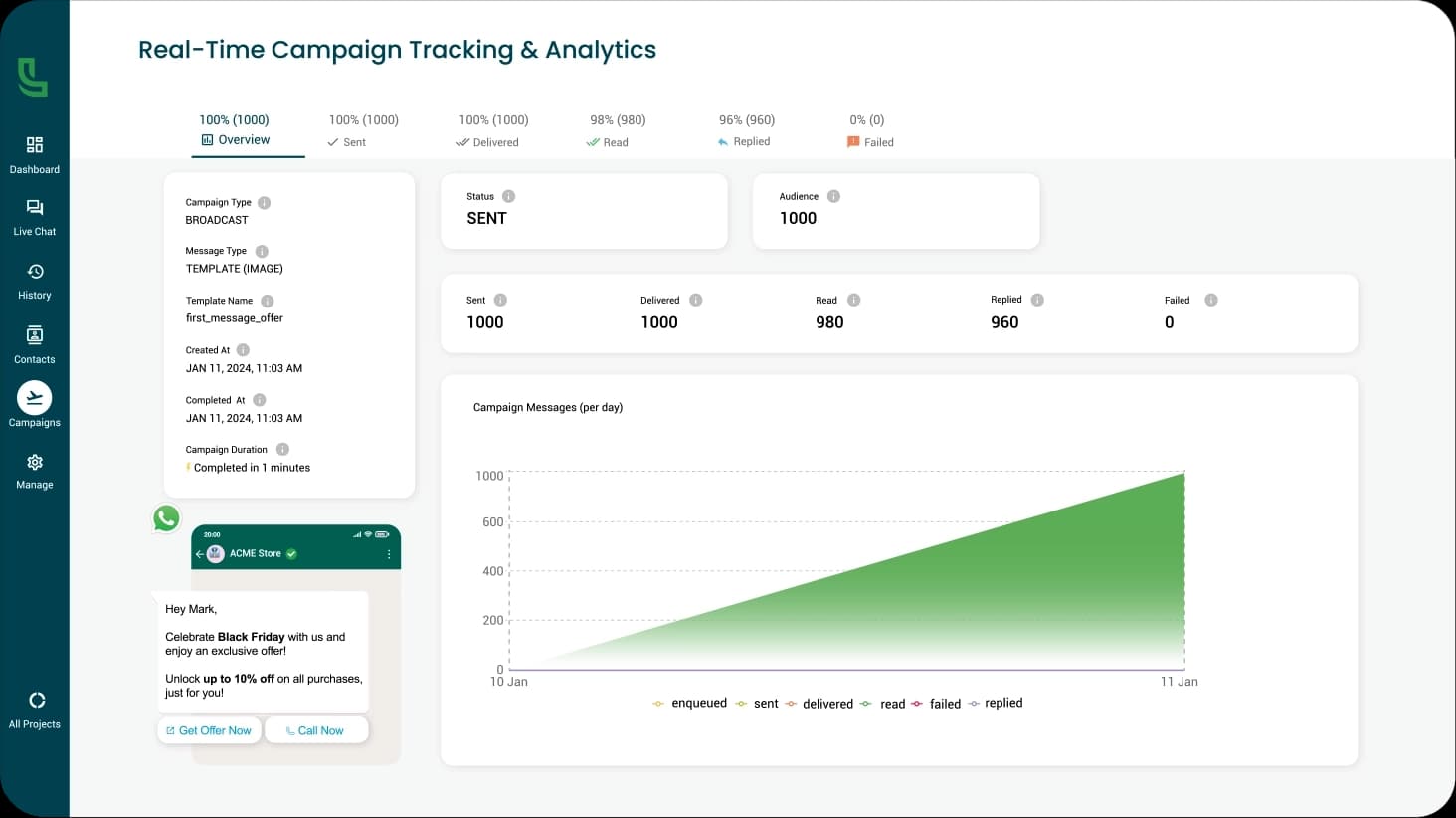
  • Sent, delivered, read, button replies, replied and failed, over a per-recipient table that refreshes live, with every failure explained in plain English.
The Luminous CRM campaign results page updating live

Client Database

A client database that builds itself from your chats

Every customer who messages your number becomes a record automatically, with their WhatsApp profile name, language and source already filled in.

  • Tags, up to 30 custom attributes per contact, and filters for last seen, created date, marketing consent, block state and tags.
  • CSV import up to 50 MB — roughly 200,000 rows — with column mapping and a report of every row that needed attention, plus export that honours your filters.
  • Marketing opt-outs are read from WhatsApp itself, recorded with a date and source, and enforced before any marketing template can send.
The client database table in Luminous CRM

WhatsApp Forms

Forms your customers fill in without leaving the chat

Multi-screen forms built visually, published to Meta, and sent from the inbox, a template button or a campaign.

  • Fourteen field types: headings, text, number, email, phone, dropdowns, single choice, checkboxes, dates, images and an opt-in with a terms link.
  • Start from a category, reorder screens, validate before publishing, preview it on a phone inside the app, then publish to Meta in one click.
  • A submissions inbox per form with one column per answer, CSV export and live updates. The contact's blank name and email are filled in from the submission.
A WhatsApp Form being built in Luminous CRM

And the parts that hold it together

Connection health, reporting, developer access and the library of everything your team has ever sent.

Getting connected

Click Connect, sign in to Facebook, pick your business and number, and come back connected. There is no token pasting.

  • Quality rating, messaging limit as a real recipient count, and account review status
  • A health checklist covering token validity and webhook subscription
  • A nightly pass at 01:30 that warns about tokens expiring within seven days
  • Business profile editing pushed straight to Meta
Analytics and Dashboard

Eight cards over your chosen range, in your workspace's timezone, plus today's numbers on the dashboard.

  • Inbound and outbound volume, delivery rate, new users a day
  • Median first response and median time to resolution
  • A message activity chart and a busiest-hours heatmap
  • AI chat insights: top topics and most asked questions, with gaps flagged

API campaigns

Trigger template sends from your own systems with one endpoint and one workspace key.

  • A payload shaped like the industry standard, so existing integrations port with little change
  • Each send resolves or creates the contact and applies tags and attributes
  • Clear guards for unapproved templates, blocked contacts and opt-outs
  • A ready-to-run cURL command on the campaign page, sized to your template

Webhooks

Signed, retried notifications pushed to your systems when something happens on WhatsApp.

  • Four events: message received, status updated, conversation assigned, campaign completed
  • HMAC-SHA256 signatures in the same shape as Stripe and GitHub
  • Five attempts over about 21 minutes, with stable event IDs for de-duplication
  • A delivery log of every attempt, with a retry button on failures

Integrations and agent tools

Every tool is off until you switch it on, and its credentials are encrypted and never shown again.

  • Google Sheets: name one spreadsheet, then read a range or append a row
  • MCP servers: connect Notion, Linear, HubSpot, Stripe, Asana or anything else that publishes one
  • Custom APIs: a base URL, an auth type, and operations described without writing JSON Schema
  • A connection test before you rely on any of it

History and the media library

Nothing is lost when a conversation goes quiet, and no file is ever hunted for twice.

  • Conversations whose 24-hour window has closed move to History automatically
  • A template sent from History restarts the conversation; a reply moves it back to the inbox
  • Every file your team or your customers have sent, in one workspace library
  • Type tabs, search, preview, download, multi-select send and bulk delete

Frequently Asked Questions

How the modules above behave day to day. The full list is on the FAQ page.

See all questions

Put your WhatsApp number to work, free for 7 days

Unlimited seats, contacts, messages, campaigns and forms. 2,000 AI replies a month. One plan, everything included. Start today, no card needed.

Luminous CRM platform preview